FoundryVTT DCC User Guide
FoundryVTT DCC System User Guide
Action Dice
Active Effects
Advanced Character Settings
Applying Damage
Attribute Paths for Third-Party Modules
Bundled Macros
Charged Magic Items
Cleric
Creating/Importing an NPC
Creating Re-useable Items
Creating Spell Tables
Creating a player character
Creating a Custom Class
Creating a Re-usable Spell
Creating a Spell
Critical Hits
Custom Critical Hit Table
Custom Fumble Table
DCC System Testing Manual
Dragging rollable items to the macro bar
Dwarf Shield Bash
Dwarf
Fleeting Luck
FoundryVTT Modules that Support DCC
Halfling
Importing a Character
Importing a DCC Table
Infravision and Torches
Installing the Paid Foundry Modules
Level Up
Mighty Deeds
Modifying Rolls or using Spellburn with Ctrl/Command Click
NPC and Monster Fumbles
Party Sheet
Reporting Bugs
Save Time Get the Core Book Module
Saving Throws
Spell Duels
Spells - Putting it All Together
System Settings
System vs. Module
Thief
Two-Weapon Fighting
Using a Published Adventure Module
Using aliases for rolls
Wizard
FoundryVTT DCC User Guide
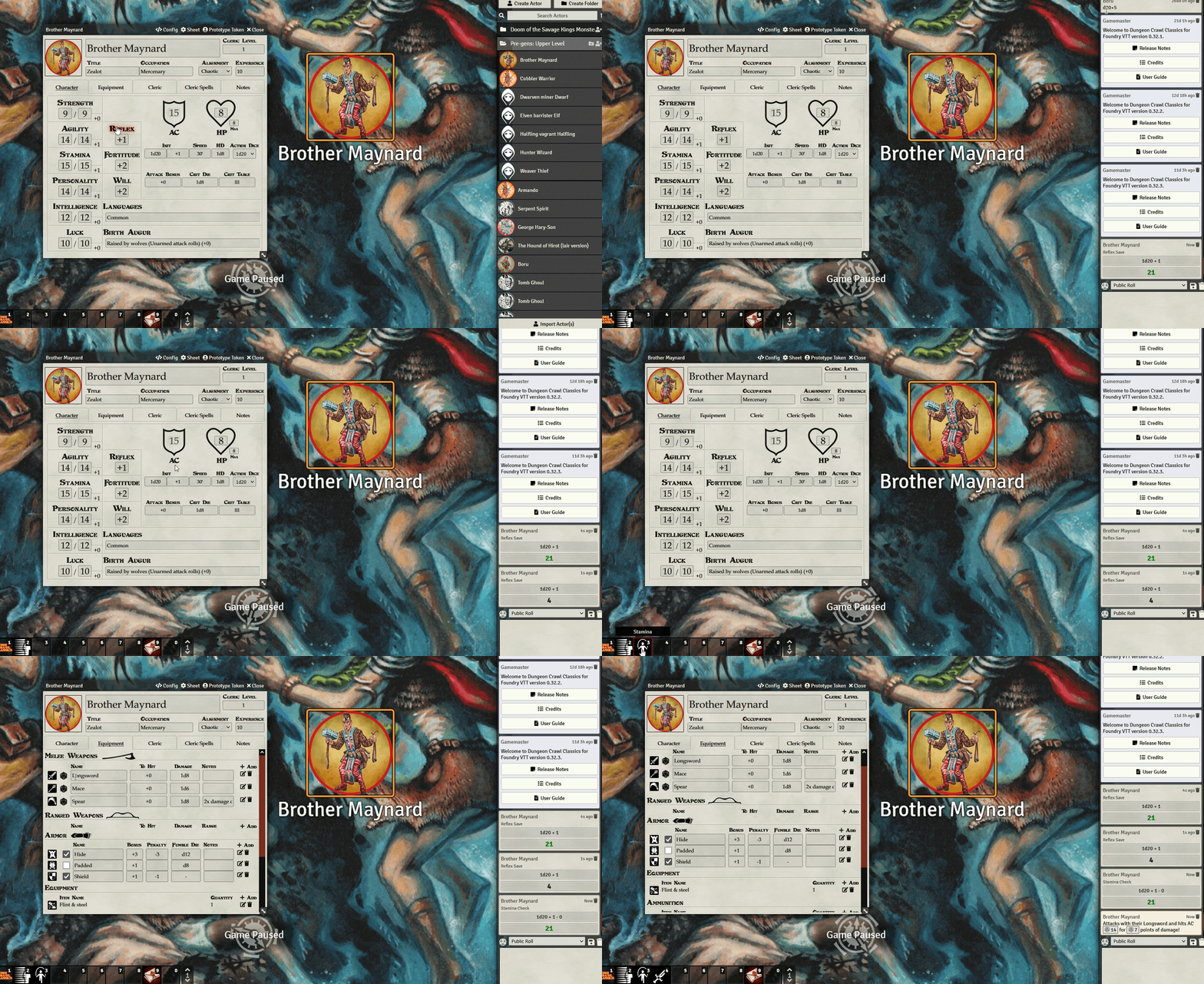
Dragging rollable items to the macro bar
Any rollable item can be dragged to the macro bar to be rolled as a macro: